How to register
To register through the application
Payment will be made using your Apple ID for iOS and the payment method set in the Google Play Store for Android.
If you are not logged in
- Tap “Premium” in the upper right menu
- The billing screen will appear.
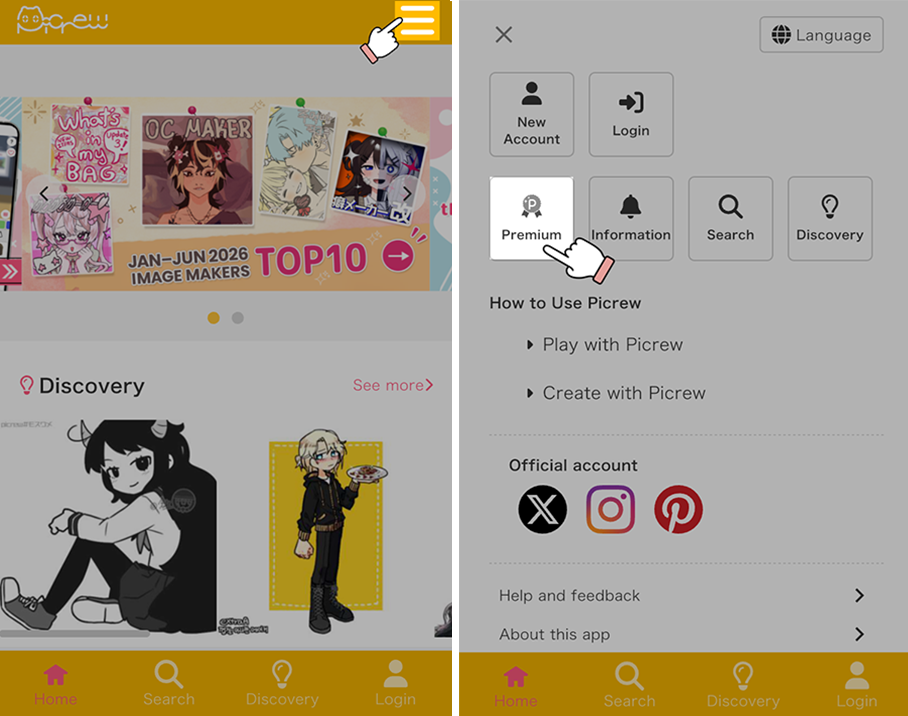
※The image is an image under development.
If you are already logged in
- Tap My Page
- Tap “Sign up” under “Subscription” in Account Settings
- The billing screen will appear
You can also go to the billing screen from the menu in the upper right corner of the screen.
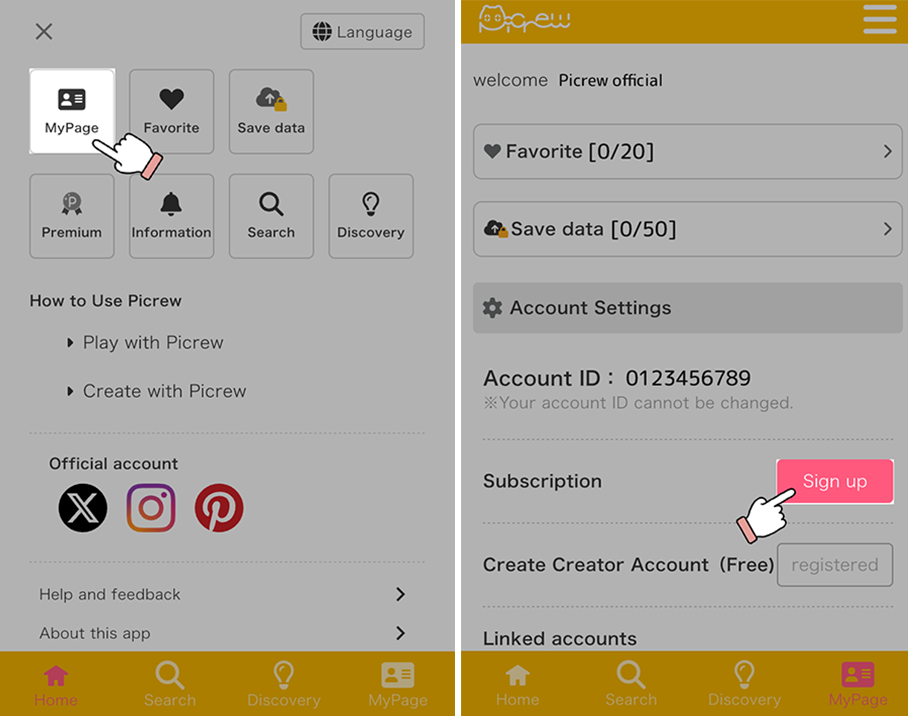
※The image is an image under development.
Registering via the web
On the web, you can pay by credit card.
If you are not logged in, a Sign up or Log in button will appear, so please log in to your own Picrew account before proceeding.
- Tap “Premium” in the top-left menu (☰).
- The payment screen will appear at the bottom of the page.
- If you have not registered an email address, a button to register your email address will appear, so please register.
- Select your plan and payment method, then proceed to payment.